

In the vast landscape of the internet, encountering a 404 error page is a common experience for most users. These pages indicate that the requested resource (web page) couldn’t be found on the server, often due to a broken link or mistyped URL. While a 404 error might seem like a minor inconvenience, it holds significant importance for user experience (UX) and the overall perception of your brand. Here’s why having a well-designed 404 error page is crucial and what elements should be included to create the best user experience.
Why a 404 Error Page Matters
Maintains Brand Credibility
A generic or poorly designed 404 page can frustrate users and lead them to question the professionalism of your website. On the other hand, a thoughtful, branded 404 page can reinforce your brand identity and demonstrate your commitment to a seamless user experience.
Reduces Bounce Rate
When users land on a 404 page, they are at a high risk of leaving your site altogether. A well-crafted 404 page can help keep visitors on your site by providing useful navigation options and encouraging them to explore other areas of your website.
Improves User Experience
A good 404 page can turn a potentially negative experience into a positive one. By offering helpful information and a touch of personality, you can mitigate user frustration and guide them back to valuable content.
Enhances SEO
Search engines like Google take user experience into account when ranking websites. A well-designed 404 page can reduce bounce rates and improve user engagement, both of which can positively impact your SEO.
Essential Elements of an Effective 404 Error Page
Clear Error Message
Clearly inform users that the page they are looking for cannot be found. Use plain language and avoid technical jargon. A simple message like “Oops! We can’t seem to find the page you’re looking for” works well.
Branded Design
Ensure that your 404 page is consistent with the overall look and feel of your website. Use your brand’s colours, fonts, and logo to create a seamless transition from your main site to the error page.
Navigation Options
Provide easy access to other parts of your website. Include links to popular pages, such as the home page, product pages, or your blog. A search bar can also be very useful, allowing users to find what they were originally looking for without having to navigate their way there.
Apology and Explanation
A brief apology can go a long way in maintaining a positive relationship with your users. While it’s not always necessary to explain why the error occurred, a short, friendly apology can help soften the frustration.
Humour and Personality
If appropriate for your brand, add a touch of humour or personality to your 404 page. A clever or funny message can make the experience more enjoyable and memorable. Just ensure that it aligns with your brand’s voice.
Contact Information
Provide users with a way to get in touch if they need further assistance. This could be a link to your contact page, a customer service email, or a live chat widget. Making it easy for users to reach out can help resolve their issues quickly and efficiently.
Visuals and Multimedia
Incorporate images, animations, or even videos to make your 404 page more engaging. Visual elements can capture attention and make the experience less frustrating for users. Just be mindful not to overdo it, as simplicity often works best.
Examples of Great 404 Pages
GitHub
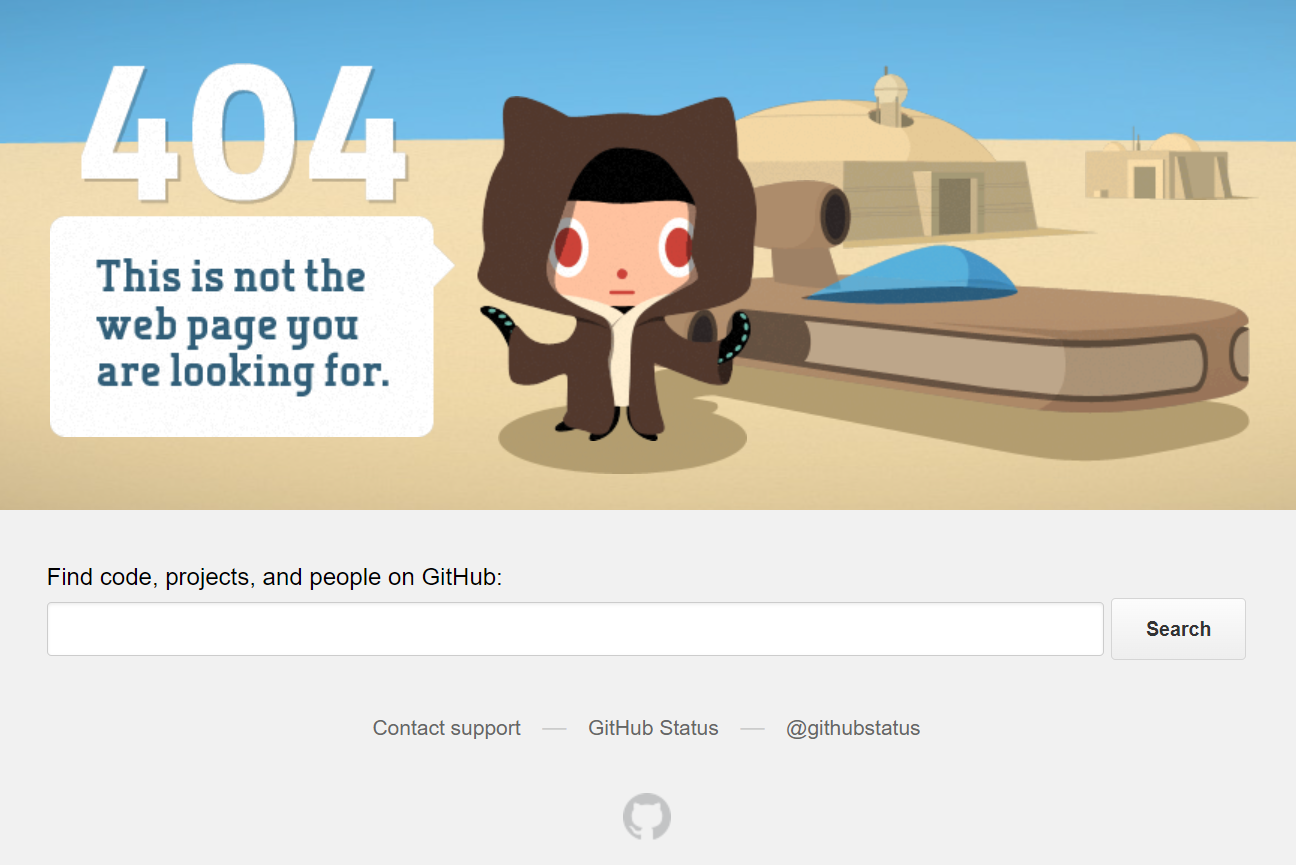
GitHub’s 404 page features a fun octocat image and a search bar, helping users find their way back to relevant content quickly.
Lego
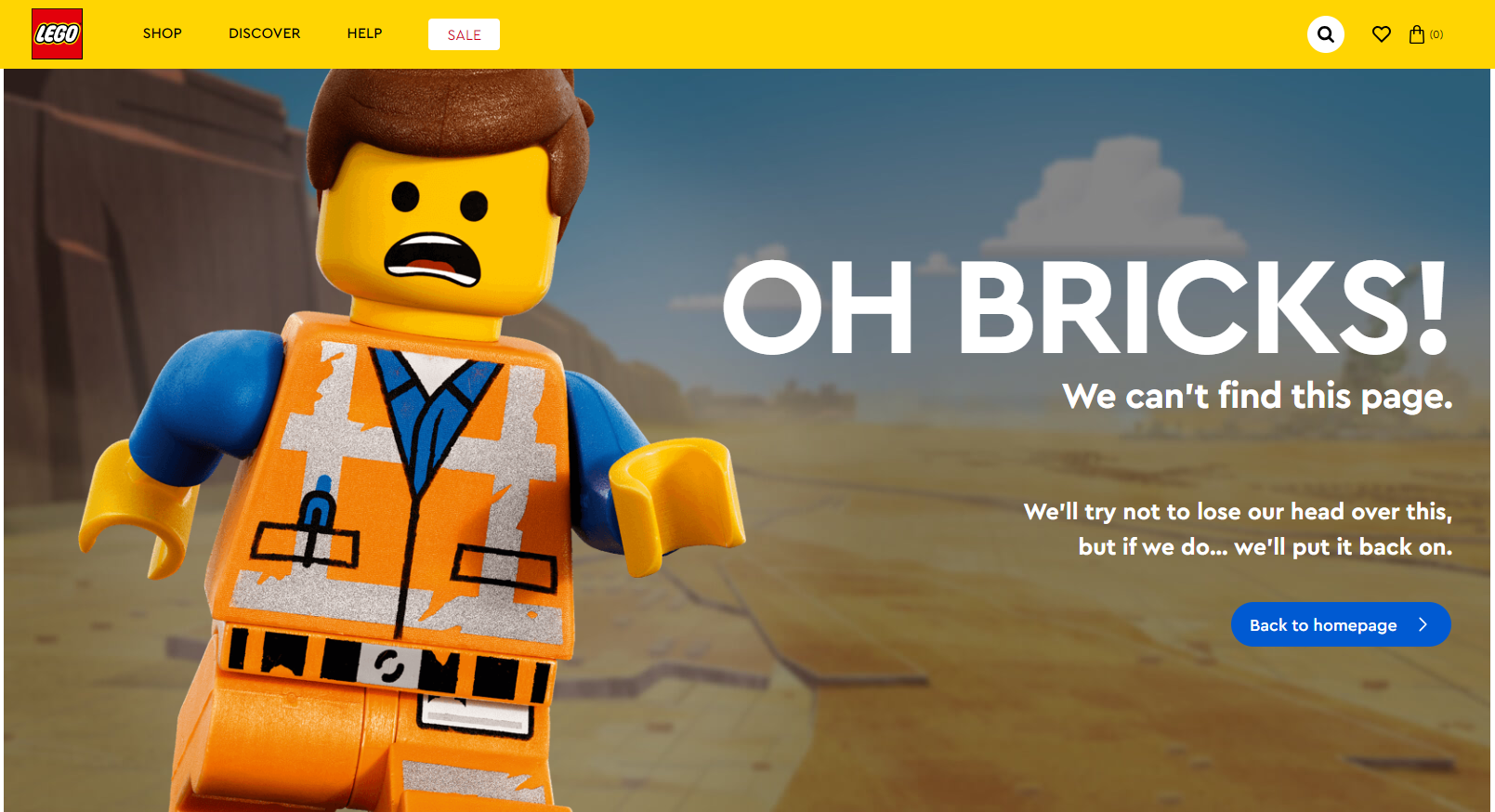
Lego uses a playful image of a Lego character with a humorous caption, perfectly aligning with their brand’s playful and creative image, while providing links back to the home page and other useful areas.
MailChimp

MailChimp’s 404 page includes a humorous illustration and a link back to the home page, along with a search bar at the top for easy navigation and live chat feature.
A 404 error page is more than just a technical necessity; it’s an opportunity to engage with your users, maintain your brand’s credibility, and enhance the overall user experience. By incorporating clear messaging, branded design, useful navigation options, and a touch of personality, you can turn a potential negative into a positive interaction. Invest time in crafting an effective 404 page and you’ll see the benefits in user satisfaction and retention.
For more 404 error page inspiration check out: https://elementor.com/blog/404-page-inspiration/
[Top image source: Distilled.net circa 2012]