
So, ladies and gents, we can finally have business profiles on Instagram to differentiate us from personal accounts and give us access to cool new features such as insights (data about your followers and their engagement with your posts) and being able to add contact details. So, if you haven’t made the switch, here’s how to do it. (Don’t worry, you can revert back to a personal account if you wish in the future.)
Before you start, you need to have an active Facebook Business Page.
The following screenshots were taken from the Android app (sorry Apple users).
Step 1: Navigate to your profile page by clicking the little person icon bottom right, then press the three little dots in the top right corner:

Step 2: Scroll down to the ‘Account’ section:

Step 3: Click on ‘Switch to Business Profile’

Step 4: Click ‘Continue’
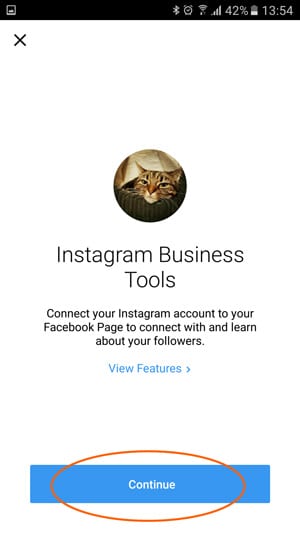
Step 5: You’ll be asked to continue as your personal Facebook profile – don’t worry, you can select a business page in the next step.

Step 6: Select the Facebook Business Page you want to link the Instagram account to:

Step 7: Contact information will be pulled through from your Facebook Page. However, you can edit it here by clicking the email address, phone number or address. You can also remove contact details if you wish.

Step 8: Success! Click continue to check out your new business profile:

You’ll see a graph icon appear in the top bar which will show you insights into your account:
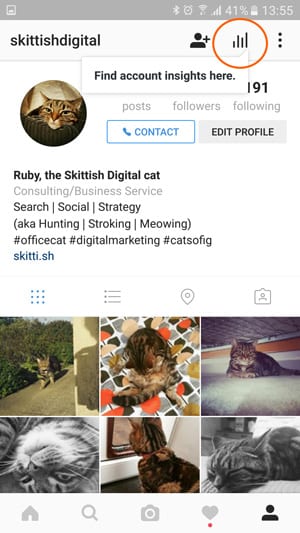

And a link under each post to view insights and promote your posts (linked to your Facebook Ads account).

Enjoy!